The Truth About Bluetooth Photo Printers: Why Your Prints Don’t Match Your Screen

All photographs are original works taken and created by dreamlikediana. All artwork and content are protected by copyright law. Reproduction or distribution without express written permission is strictly prohibited. ©DREAMLIKEDIANA - All Rights Reserved
I had a large in-depth review on HP’s Photo Paper on Amazon detailing tips and an explanation why those Bluetooth photos don’t print like you think they should. “I spent all that money!” I’ve heard, I’ve read, but honestly, if you want quality, a mini little printer like HP Sprocket, Canon Ivy, Liene Photo Printer, Polaroid Hi-Print, Lifeprint, KODAK Step Instant, and any printer that uses ZINK technology isn’t going to give you that. It’s a wonder it works at all if you think about it. My review, unfortunately, got deleted due to an Amazon hiccup, so today I’m going to put everything I remember here for the world to see.
Just a heads-up: None of my blog posts are not sponsored! Every post is honest and straight from the heart, sharing information and value that I believe could genuinely benefit you. This post does include affiliate links, which means I might earn a small commission if you make a purchase (at no extra cost to you!). Want to know more about the brands I’m affiliated with? Click here to learn more! 😊
CMYK vs RGB

First things first, the colors we see on our phones are RGB, but the Bluetooth printers print with CMYK colors. These are two completely different color schemes. Let’s separate the two color schemes from the phone and the printer, and let’s just talk about them alone. Whenever I’m in Procreate or Photoshop and let’s say I take some of my favorite RGB color palettes and try to use them on my CMYK-specific canvas. Those RGB colors don’t look the same at all. Instead, CMYK tends to dilute if not sometimes distort them.
When working with canvases RGB needs to be with RGB, and CMYK needs to be with CMYK.
Most artists who design for print, they design with CMYK color palettes in mind. Any time they want to design for the web, for social media, etc. they need to make a whole new canvas that’s RGB specific.
RGB printing does not exist. All printers are made to print in CMYK.
So at the end of the day, it’s not the manufacturer's fault, it’s not the photo paper's fault, it’s not your fault or the printer's fault. It’s no one fault. The messaging isn’t clear, and we are expecting too much perfection for something so tiny!
💖 Psst... I also run a small art shop! If you love cute, useful things like stickers, journals, or creative tools—check out what’s new in my store.

How to counteract printing issues
It really depends on what your issues are. For example, if your images are coming out too warm you’re going to want to make them appear less warm. You do this by adding a blue tint to them before you print.
I wouldn’t recommend editing within the Bluetooth printers app. What I would recommend is using photo editing apps like VSCO (free & simple) or Lightroom (free & advanced) to get the desired effect. I used to use VSCO a lot prior to 2019 and got decent results. I had my first sprocket since 2017. I would use the filter A5 at +5, and then adjust saturation and exposure until it looked brighter and more saturated so that it wouldn't dilute when printer.
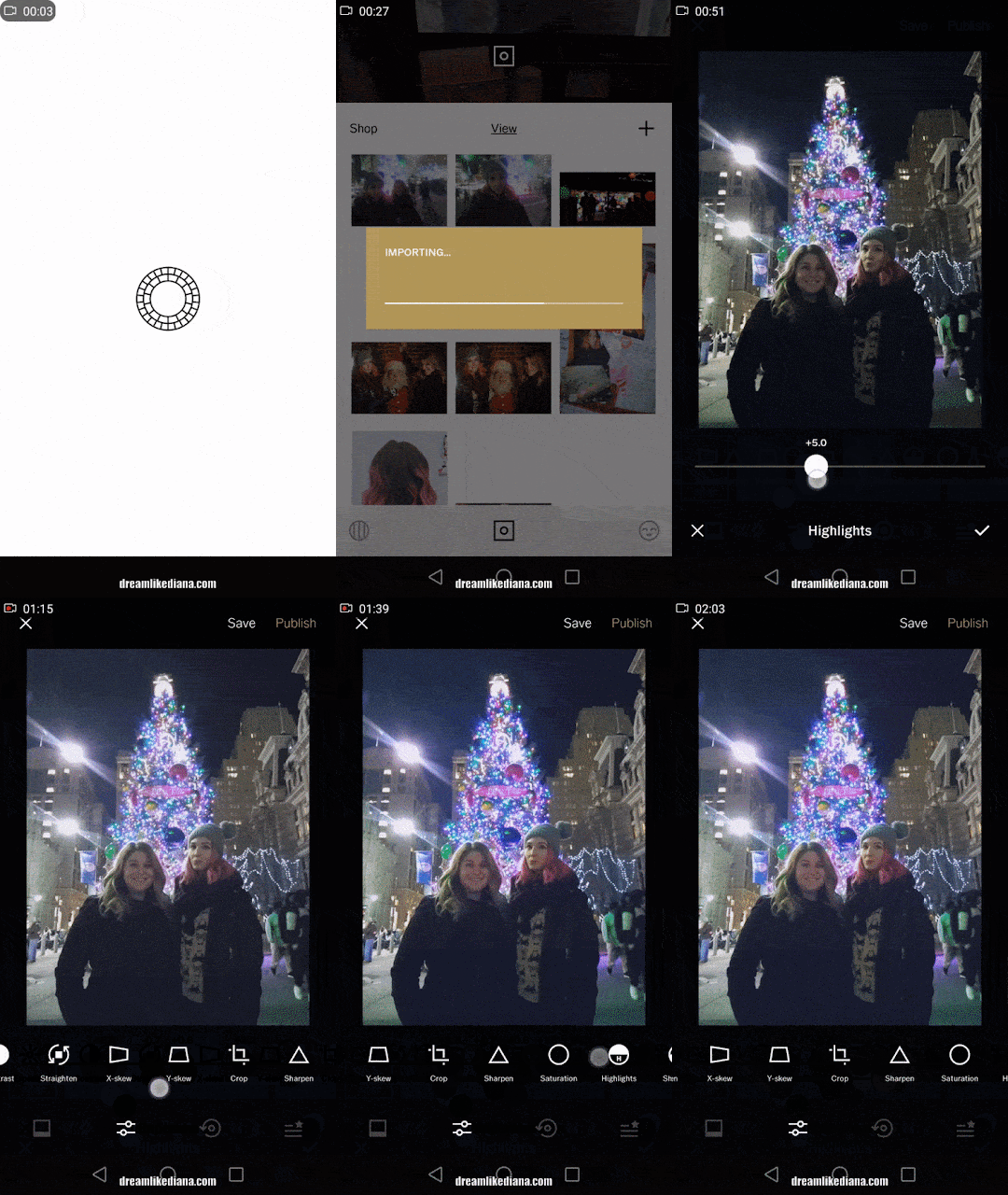
And remember because it's a Bluetooth printer, the colors will never be exact, but they can be good enough.
If the colors are too dull, you’ll want to add more saturation and vibrance when you’re photo editing.
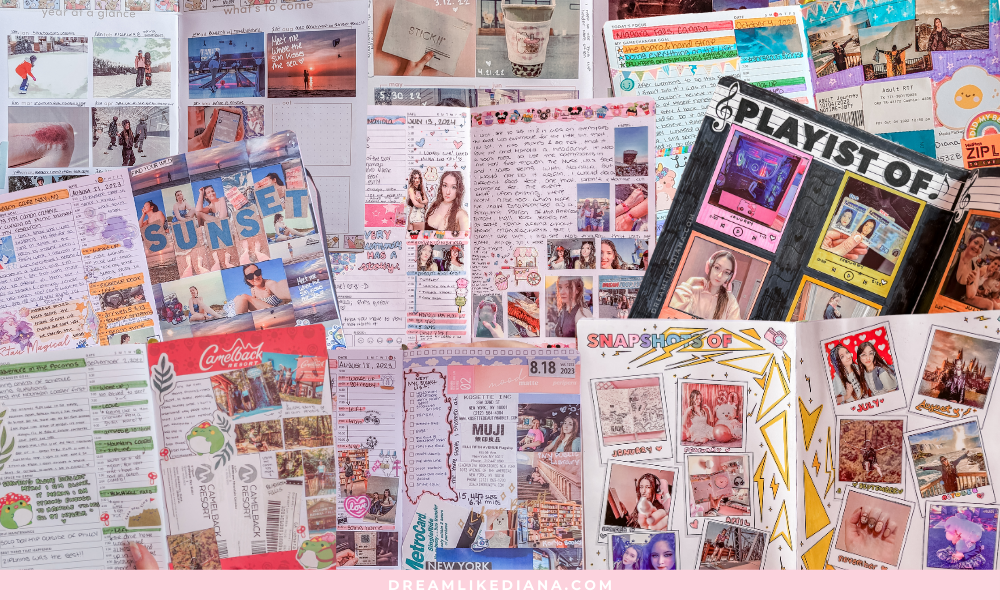
If there are any other issues, sometimes all you need to do is recalibrate it. You do this by running one of the blue cards that come in the photo paper packs through the printer again. It usually solves any and all of my problems.
Keep your app & printer software up to date, it will also help mitigate issues. Believe it or not, just simply having one of the latest iPhones or android devices helps a ton! The camera lenses and technology is so much better in recent years which really helps print better quality photos. Even having the most recent ZINK printer whether it’s the 2nd generation HP Sprocket or Canon IVY or Liene, or whoever you choose, make sure it’s their latest model! I didn’t think it would make a world of difference, but it does!

LEFT PRINTER is NEW. RIGHT PRINTER is OLD (2017 1st model to be released)
Just take a look at this image above. The HP Sprocket on the left is the current model being sold, it’s 2nd generation. It looks so much more crisp and true to color than the one on the right. The HP Sprocket on the right is an older model 8 years old, but it has always worked great regardless. In recent time, it’s been glitching a lot more, but it still works. The colors in the past came out too cool toned, and over time with a brand new phone (that could not even connect to) it was much too warm! As the photo example shows. It’s still great for scrapbooking or memory keeping, it still gets the message across, but I truly do enjoy having the latest model because the colors are a much better payout and I don’t have to edit a single thing anymore! No editing = wasting no paper!
These mainly cover the main problems I’ve seen with Bluetooth printers, if you have any others definitely let me know in the comments below. I’ll try to help you as best as possible.
To be honest with you,
Technology gets better as we live into the future. I've never had a problem with my photos printing wonky in color, with each new phone it just looks much better of a payout. But I've had a few minor problems with the HP Sprocket because like any piece of tech, sometimes they glitch! That’s why keeping your tech firmware up to date as well as any of your devices, is important!
With all my older phones I constantly had to edit my photos in Lightroom to get the best printing results! As I’m updating this post (it’s January 2025) I don’t have the same needs or issues I had in the past since I’ve updated both my phone AND HP Sprocket to the latest models! That being said, it's not perfect, but it's good enough for me!

If you have any comments questions or concerns, for sure leave me a comment below & I’ll get back to you ASAP! For now, this is all I have to say, and I hope it helped you out in some way shape or form!
Till next time!
~Diana
If this guide helped you at all you can support me by,
FREEBIES | SHOP | AFFILIATES | YOUTUBE | & MORE