How to Create a Positive YouTube Comment Experience
Spend less time moderating comments and more time creating content that matters.

All photographs are original works taken and created by dreamlikediana. All artwork and content are protected by copyright law. Reproduction or distribution without express written permission is strictly prohibited. ©DREAMLIKEDIANA - All Rights Reserved
Every creator knows this frustration: you pour your heart into a video, hit publish, and within hours your comment section becomes overwhelming. Negative comments flood in attacking everything from your appearance to your life choices. Spam bots arrive with fake giveaways. And the worst part? It steals your creative energy.
I've been creating content for years, and I've learned something crucial: protecting your mental space isn't optional. It's essential for sustainable creativity.
When I started getting comments attacking not just me, but my boyfriend, my spending choices, and even my hobbies, I realized something had to change. I wasn't going to let strangers dictate my emotional state or derail my creative process.
So I implemented a simple system using YouTube's built-in tools that filters out most negativity before it reaches my eyes. Today, I'm sharing exactly how to set this up.
What You'll Learn in This Guide
How to set up YouTube's built-in comment filtering
Smart moderation tactics that go beyond basic word filtering
How to turn your comment section into a supportive community space
Ready to create a more positive comment experience? I'll show you exactly how to build your own custom moderation list below.
Why Thoughtful Creators Use Comment Moderation
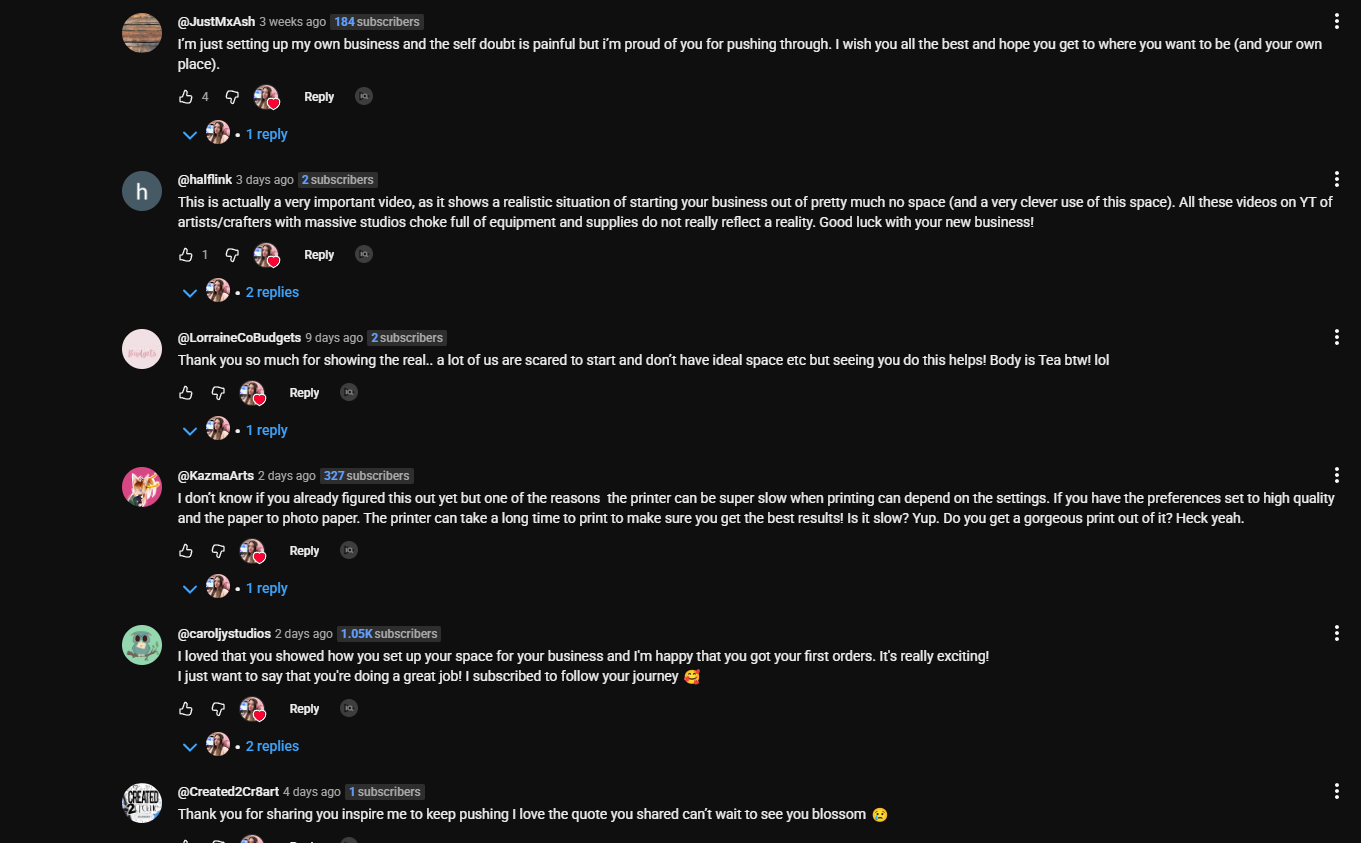
Amazing comments on my latest video! starting my business out of a closet space ♡ 92 sq ft, small biz studio, tiny space
Here's what changed my perspective: every successful platform uses moderation systems because they create better experiences for everyone.
Your YouTube channel isn't a public forum. It's your creative space that you've built through time, effort, and investment. Just like any business curates their customer experience, you have the right to shape how people engage with your content.
The goal isn't to silence all feedback, it's to create space for meaningful connection.
When you curate your comment environment, amazing things happen:
Your genuine audience feels safer engaging
You spend less emotional energy on negativity
You can focus on creating instead of moderating
Your comment section becomes a community asset
Constructive conversations can actually flourish
Step-by-Step: Setting Up YouTube Comment Filters
Here’s a step-by-step guide to filtering out unwanted comments on your YouTube channel. This is best done on a laptop or desktop! I haven’t found a way to do this on mobile devices.
Click on Your Profile Photo Log in to YouTube and click on your profile photo in the top-right corner.
Go to YouTube Studio Select YouTube Studio from the dropdown menu.
Open Settings In the left-hand menu, scroll down and click on Settings.
Select Content Moderation Under Settings, go to the Community Moderation tab.
Add Blocked Words Scroll down to the "Blocked Words" section. Here, you can paste or type in the words and phrases you want to block. You can also enable the checkbox for “Block Links” to stop spam comments containing links.
Save Changes Once you’ve added your list, click Save to apply the changes.
Pro tip: There's no limit to how many words you can block, so customize it to your needs.
Create Your Own Custom Moderation List
This post has been updated from its original contents. The previous version included a 700+ word list that was repurposed from a Reddit discussion. After reflection, I've removed my version of that list because I realized it wasn't serving my community well. Here's the original Reddit post if you're curious about the source.
Instead of using someone else's list, here's how to build your own personalized comment filter using AI. This approach ensures you get exactly what you need for your specific niche and comfort level.
When I first shared that massive word list, I thought I was providing value by giving you everything at once. But here's what I learned: that list didn't work for everyone, and honestly, it wasn't even working that well for me anymore.
My purpose has always been to be the big sister who helps women escape being cogs in other people's machines and build their own empires authentically. Part of that means teaching you to create your own solutions rather than just handing you mine. That's real empowerment.
Copy this prompt and paste it into any AI tool (ChatGPT, Claude, etc.):
Generate a comprehensive, ready-to-use list of words and phrases for a YouTube creator's Custom Moderation List (Comment Filters). This list will automatically block comments containing these terms. Cover the following categories with explicit examples for each:Spam & Scams – (e.g., ‘instant money,’ ‘free bitcoin,’ ‘click this link’)Unwanted Self-Promo – (e.g., ‘visit my channel,’ ‘subscribe to me,’ ‘promo code’)Profanity & Explicit Content – (e.g., swear words, sexually explicit terms, vulgar slang)Violence & Harm – (e.g., ‘hurt yourself,’ ‘attack them,’ ‘shoot them’)Hate Speech & Discrimination – (e.g., racial/ethnic slurs, LGBTQ+ hate terms, sexist language)Toxic Negativity – (e.g., ‘you’re trash,’ ‘this sucks,’ ‘worst video ever’)Threats & Harassment – (e.g., ‘I’ll dox you,’ ‘you deserve to die,’)Body/Identity Insults – (e.g., ‘ugly,’ ‘fatty,’ ‘retard,’ slurs about race/gender/sexuality)Self-Harm & Dangerous Behavior – (e.g., ‘kys,’ ‘end your life,’)Filter Evasion Tactics – (e.g., misspellings like ‘f*ck,’ ‘h8te,’ ‘$uicide’)
Format the final list as a single line of comma-separated terms with no spaces after commas but keep spaces inside multiword phrases (e.g., ‘word,lorem ipsum,phrase’). Prioritize high-impact, frequently used terms to maximize moderation efficiency. Clarify that this is a creator-curated filter, not an official YouTube policy.Pro tips for customizing your list:
Add niche-specific terms (e.g., if you're in tech, add "fake review" or "sponsored scam")
Include words in other languages you speak
Include common slang and internet speak (e.g., "ur," "u suck," "cringe af")
Add URL endings to catch links that slip through (.com, .org, .net, .co, bit.ly)
Remove any words you're comfortable seeing in your comments
Test your list with a secondary account to make sure it's not overly restrictive
Formatting your list correctly: Your blocked words should be separated by commas with NO space after each comma. Here's what it should look like:
stupid,idiot,die,fake,scam,.com,.org,check out my channel,subscribe to me,you suck,nobody cares
Prefer not to use AI tools?
I totally understand. Every tool is a double edged sword. There is no such thing as black and white, everything is shades of gray. But I also believe in using whatever works best for you personally and according to your values.
Since I can't share the full original Reddit list (I didn't save it at the time), here's what I can offer: I do have a shorter starter list saved from that initial post. If you'd like it as a foundation to build from, enter your email below and I'll send it over.
Just a friendly heads up: this is a partial list sourced from that Reddit discussion, not something I created myself. It's meant to be a starting point that you can customize for your own needs and comfort level.
Smart Protection: Beyond Word Filtering
Word filters catch most problematic comments, but for those that slip through, use these additional approaches. They’re super simple and I know many female creators who utilize this.
1. The Simple Three-Step Process
Step 1: Delete the comment
Step 2: Report the user to YouTube if needed
Step 3: Hide their channel + block their username for repeat issues
2. Username Management In Community Settings, you can block specific usernames.
Turning Your Comment Section Into a Community Space
Once you've filtered out the noise, your comment section transforms. Here's what I've experienced:
Genuine questions get answered because they're not buried under spam
Community members support each other in the replies
You actually enjoy responding because the interactions are positive
Algorithm benefits from increased positive engagement
This shift from managing negativity to building community is where the real magic happens.
Tools & Resources to Support Your Creative Journey
Managing comments is just one piece of building a sustainable creative practice. If you're working on growing your creative business, you might also find helpful:
Free Resources:
10 Fun Affirmation Phone Wallpapers - Positive reminders for tough creator days
52 Quotes for 52 Weeks - Year-long inspiration for your content
End of the Year Reflection Freebie - Perfect for planning your creative journey
Planning & Organization:
Self Care Go-To Kit - Digital worksheet for creator burnout prevention
Puzzle Mood Tracker - Creative way to track your emotional patterns
Affirmations & Mantras Tracker - Perfect for mindful creators
Related Posts You Might Find Helpful:
Why This Gentle Approach Works
Let me be clear about something: this approach works because it prioritizes your well-being and your community's experience over random internet chaos.
I'm always open to thoughtful feedback and genuine questions. Those conversations are what make creating worthwhile. What I've learned to filter out are the comments that serve no purpose except to spread negativity.
There's a meaningful difference between someone offering constructive thoughts and someone just venting their frustrations at a stranger online. The filtering system helps preserve space for the conversations that actually matter.
Your creative energy is finite. Every minute spent processing negativity is a minute not spent creating, connecting with your real audience, or building something meaningful.
Ready to Create a More Positive Space?
You started creating content to share something meaningful with the world. You deserve to do that in an environment that supports your creativity.
Here's what to do next:
Use the AI prompt above to create your personalized list - Takes 5 minutes and gives you exactly what you need
Set up your filters this week - Follow the step-by-step guide above
Remember: your channel, your creative vision. You get to decide what kind of community you want to build.
Want more creator tips and behind-the-scenes insights? I share regular updates about building a sustainable creative business while protecting your mental health. Check out my blog a little further!
Till next time!
~Diana